¶ Singularity
Singularity is a container system designed for use on HPC (High-Performance Computing) environments. It functions similarly to Docker and is capable of running images built for Docker.
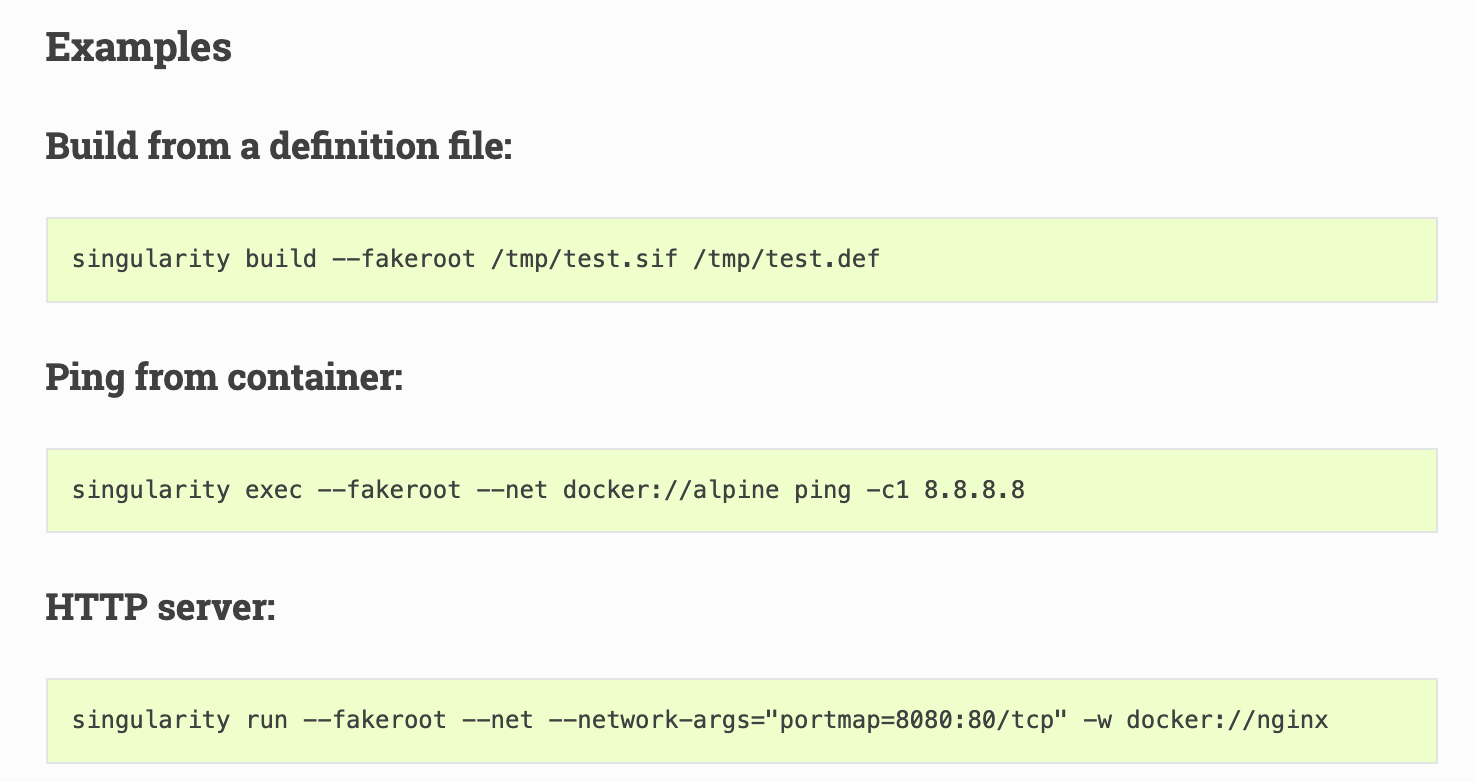
When running inside a Singularity container, users retain the same level of privileges as they have outside the container. Typically, Singularity images need to be developed and built from a Linux-based system with administrator-level privileges. Alternatively, users can utilize the fakeroot feature to build images without root access.
Example image files and .def files for all users are available at: /data/singularity-images


¶ 1. Creating Singularity Image with Fakeroot feature
If Singularity is already installed on your Linux machine, you can create a Singularity image by writing a Singularity Definition file with details as shown in the example below:
Bootstrap: docker
From: pytorch/pytorch:latest

%post
    export LC_ALL=C
    pip install datasets accelerate grad-cam captum 'transformers[torch]' opencv-python
    mkdir /data
    mkdir /work_scripts

%files
    /data/users/peeranon/corneal/corneal_data /data
    /data/users/peeranon/corneal/fine_tuning_the_vision_transformer_on_nerve.py /work_scripts
- Inside the Singularity Definition file, we specify that the image should be built based on Ubuntu 18.04 by pulling the base image from Docker Hub.
- Within the
%postsection, we include all the installation commands that are executed only once during the image build process. In this case, we usepip installto install the following Python packages:datasets,accelerate,grad-cam,captum,'transformers[torch]', andopencv-python. - To enable the image to access storage on the cluster or NFS, it is necessary to bind-mount the relevant NFS directories into the container. From the example above:
- The user’s home directory
/data/users/peeranon/corneal/corneal_datais bound to/datainside the container. - The script
/data/users/peeranon/corneal/fine_tuning_the_vision_transformer_on_nerve.pyis bound to/work_scripts.
- The user’s home directory
- If these directories are not properly declared and mounted inside the container, you might encounter warnings when running the container.
To build the image, you can run the following command, specifying the --fakeroot flag along with the paths for the image file and the Definition file:
singularity build --fakeroot <example>.sif /data/singularity-images/<singularity>.def

¶ 2. Pull Singularity Container
¶ 2.1 In case you already have a ready-to-use container image
You can choose the source of your container image from websites such as:
- NVIDIA GPU Cloud (NGC): A repository of pre-built GPU-accelerated containers
https://ngc.nvidia.com/catalog/containers - Docker Hub: A large collection of Docker containers
https://hub.docker.com/
To pull an image using Singularity, use the command:
singularity pull <singularity_name>.sif docker://<pull_url>
If you want to pull an image from NGC, simply copy the pull URL from the Pull Command provided on the NGC website and replace <pull_url> in the command above.
For example (as shown in the image below), use the exact pull URL from NGC to download the container.


¶ 3. Running Singularity Container
¶ 3.1 Running Singularity Container (CPU-Based)
singularity exec <singularity_name>.sif <command>
Here is an example of how to run a Singularity image:

¶ 3.2 Running Singularity GPU-Enabled Containers (GPU-Based)
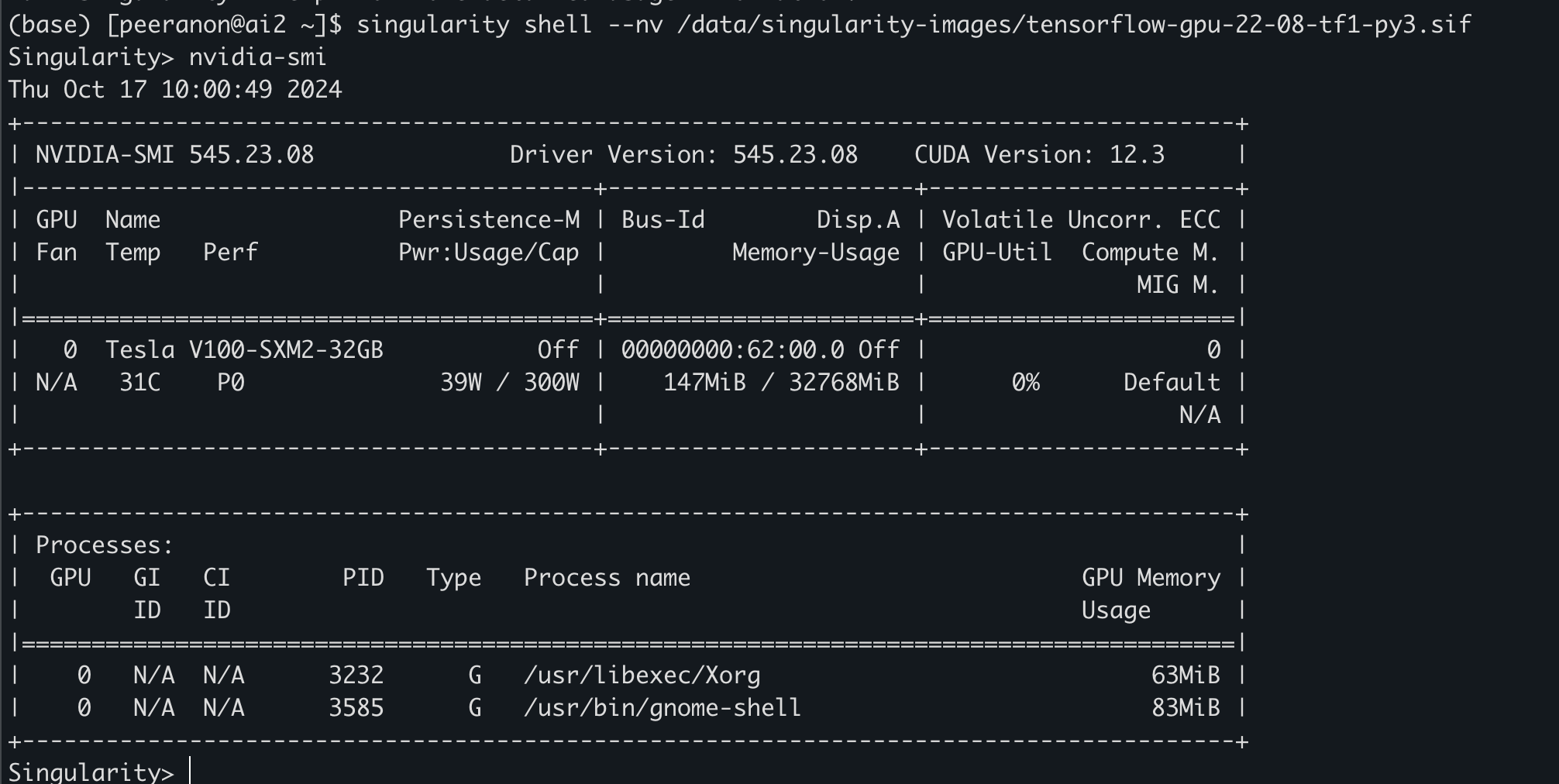
When running Singularity with GPU support, always include the --nv flag in your command. For example:
singularity shell --nv /data/singularity-images/tensorflow-gpu-22-08-tf1-py3.sif
¶ 4. Using Singularity with Slurm
Here’s an example of a Bash script to run a Singularity container on a Slurm cluster:
#!/bin/bash
#SBATCH -p gpu			        # Partition Name
#SBATCH -t 00:30:00		      # Time limit format day-hour:minute:second
#SBATCH -J simple_cnn%J		  # Job name
#SBATCH -c 2			          # CPU request
#SBATCH --mem=16G		        # Memory request
#SBATCH --gres=gpu:1		    # GPU request
#SBATCH --output out%J.log	# Log file

# Show compute node name
hostname

# Show GPU
nvidia-smi

singularity exec --nv /data/singularity-images/tensorflow-gpu-22-08-tf1-py3.sif python -c \\
	"import tensorflow as tf; print(tf.reduce_sum(tf.random.normal([1000, 1000])))"
Submit Job by run command sbatch

After successfully submitting the job, you can check its status using the command:

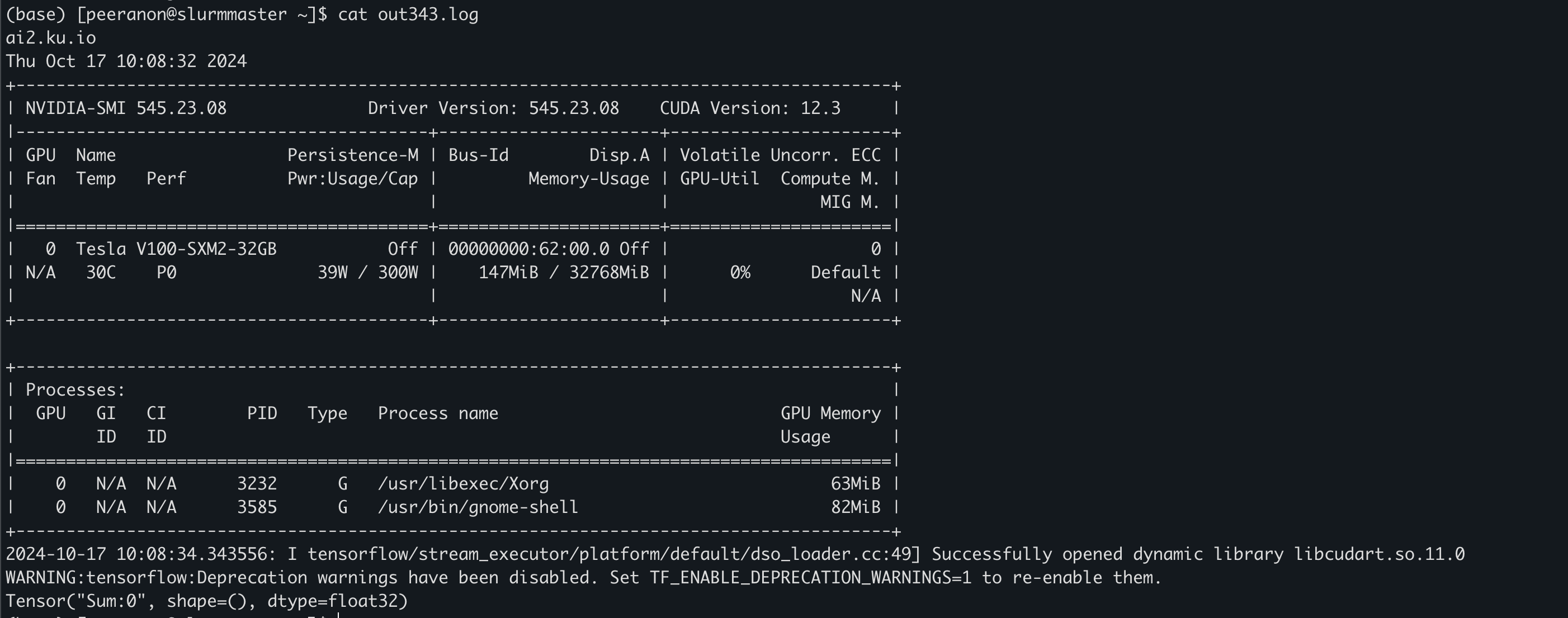
When the job finishes running, you will find an output file with the default name format:out<JOBID>.log where <JOBID> is the job number assigned when you submitted the job with sbatch. For example, out343.log. Opening this file will show the output log from the job you just ran.